Corvette Embroidery Design: Find the Right Digital Pattern for Your Project
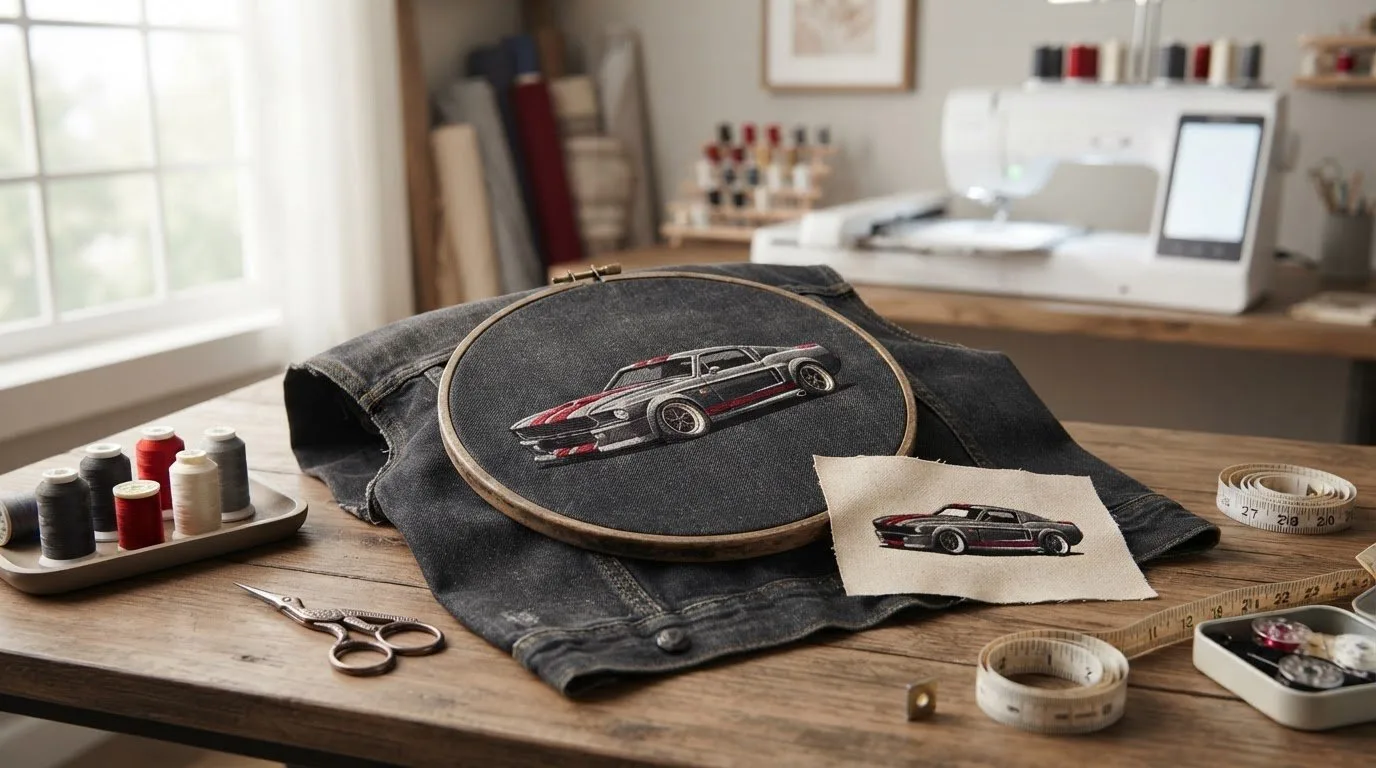
The right corvette embroidery design is one that fits your project, not simply the one with the most detail. A bold car motif can make a strong statement on a jacket, while a smaller, simpler design may suit a bag panel or handmade gift better. Start with the item and its available stitching area, then look for artwork that fits.
To narrow your search, browse car and car-logo embroidery categories and compare the style, dimensions, and file format of designs that catch your eye. This guide walks you through those checks so you can choose artwork that suits your machine and project. Downloadable designs also let you move from idea to preparation without waiting for custom digitizing.
Key Takeaways
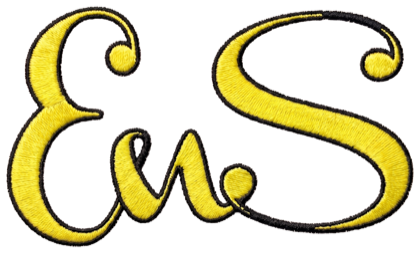
 Embroidery designCorvette Logo With NameView this design →
- Check that the design file format is supported by your embroidery machine and that the design fits its embroidery area. - Browse car and car-logo categories to focus your search, then review the design details before downloading.
Table of Contents
-
How to choose a Corvette embroidery design for your machine and project
-
Find automotive embroidery designs and get your Corvette project started
What to look for in a Corvette embroidery design
A Corvette-inspired motif can add a personal touch to a jacket, gift, or home décor project. The subject is only one part of the decision: the artwork’s style, scale, and placement all affect how it looks stitched. A detailed motif may work well on a roomy jacket panel, while a simpler design can read more clearly on a smaller area.
A digital embroidery design is machine-ready artwork that guides an embroidery machine in stitching a motif. To choose a corvette embroidery design that suits your project, picture the finished item and decide where you want the artwork to sit before browsing.
Which Corvette-inspired motif suits your project?
Bold, car-logo-style artwork can create a strong graphic focal point. An illustrative automotive motif may instead suggest the shape or character of a sports car. These are style descriptions, not claims of official affiliation. Consider whether you want a prominent design on a garment, a smaller accent on a gift, or car-themed artwork for a décor piece.
Corvette enthusiasts may be drawn to different eras and visual cues. The History of the Chevrolet Corvette offers context for that range. For broader guidance on choosing digital artwork, explore this digital embroidery patterns guide.
Before choosing a motif, compare its overall shape and proportions with the item and placement. Browse embroidery design categories to explore automotive themes alongside other options. Filtering by subject first, then by project fit, makes a large catalog easier to navigate.
How to choose a Corvette embroidery design for your machine and project
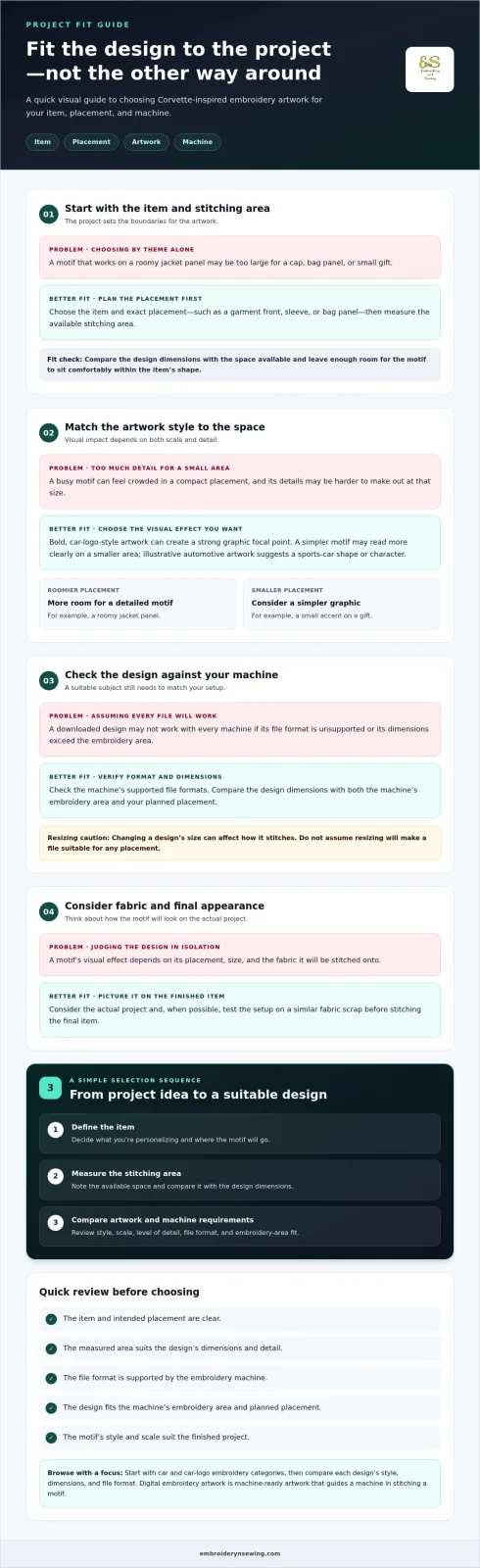
Start with the item, then choose artwork to fit it. A design that suits a roomy jacket panel may be too large for a cap or a small gift, and a file in an unsupported format will not work with your machine as downloaded. Use this sequence to narrow your options:
-
Define the item. Decide what you’re personalizing and where the motif will go, such as a garment front, sleeve, or bag panel.
-
Measure the stitching area. Check the space available at your chosen placement and compare it with the design dimensions. Leave enough room for the motif to sit comfortably within the item’s shape.
-
Compare suitable artwork. Look for a Corvette-inspired motif with a scale and level of detail that suit both the item and the placement.
What should you check before selecting a digital design?
Check the file format against your embroidery machine’s supported formats, then compare the design dimensions with the machine’s embroidery area and your planned placement. Consider how much detail the motif has and whether it will remain easy to make out at that size. A busy design can feel crowded in a small space, while a simpler graphic may read more clearly. Avoid assuming that resizing a file will make it suitable for any placement, since changing a design’s size can affect how it stitches.
Fabric and placement also influence the finished look. Picture the motif on the actual project and, when possible, test the setup on a similar fabric scrap before stitching the final item. For foundational preparation, the beginner’s machine embroidery guide can help you plan the steps before stitching. These checks make it easier to select a corvette embroidery design that fits your project and machine, rather than choosing by theme alone.
Once you know the format and space you need, browse automotive embroidery designs to focus on car-themed artwork. Downloadable machine embroidery designs give you a practical way to move from a clear project plan to preparation without waiting for custom digitizing.
Find automotive embroidery designs and get your Corvette project started
A focused theme makes a broad design catalog easier to browse. Start with automotive artwork, then narrow the options by visual style, dimensions, and the machine requirements you noted. This keeps your search purposeful: you’re looking for a motif that works for your item and placement, not just any car-themed design. A corvette embroidery design can inspire a personal garment, a thoughtful gift, or a craft project.
From automotive theme to a ready-to-stitch project
Before browsing, note three things: the item you’ll personalize, where you want the motif placed, and the file formats and embroidery area your machine supports. Use this short checklist as you compare automotive artwork. It helps you stay focused on designs that fit your project instead of getting sidetracked by unrelated themes.
When you find an option that suits your plan, review its listed details and compare the dimensions and format with your notes. Download the design, then prepare your project and machine using your usual setup process. Digital access makes it possible to move from choosing artwork to preparing your project without waiting for custom digitizing.
Explore embroidery design categories to browse automotive themes alongside a wide range of other embroidery artwork. You can also explore the design marketplace for ideas across personal and small-scale commercial projects. With the item, placement, and machine requirements in mind, it’s easier to find a design that fits your direction and is ready for your workflow.
Turn Your Corvette Idea Into a Personal Project
A thoughtful corvette embroidery design can give a personal project a distinctive automotive touch. Let the item you have in mind guide your choice, and consider how the motif can express your interest in the car theme, whether you’re making something to wear, give, or keep.
Explore car and car-logo embroidery designs alongside other popular themes to find artwork that fits your creative direction. Instant-download digital designs let you move from selecting artwork to preparing a project without waiting for custom digitizing.
Start with the theme that excites you, then compare designs against your project and machine requirements. Browse digital embroidery designs and find inspiration for your next project.
Frequently Asked Questions
Can I use a downloaded embroidery design with any machine?
No. A downloaded corvette embroidery design may not work with every machine. Check your machine’s manual or software for supported file formats before choosing a design. Compare the design’s dimensions with your machine’s embroidery area as well, since a compatible format does not mean the motif will fit. If you use editing software, make sure it can open the file too.
Corvette Embroidery Design: Find the Right Digital Pattern for Your Project
The right corvette embroidery design is one that fits your project, not simply the one with the most detail. A bold car motif can make a strong statement on a jacket, while a smaller, simpler design may suit a bag panel or handmade gift better. Start with the item and its available stitching area, then look for artwork that fits.
To narrow your search, browse car and car-logo embroidery categories and compare the style, dimensions, and file format of designs that catch your eye. This guide walks you through those checks so you can choose artwork that suits your machine and project. Downloadable designs also let you move from idea to preparation without waiting for custom digitizing.
Key Takeaways
-
Compare a motif’s visual style and scale with the placement you have in mind.
-
Before choosing a corvette embroidery design, identify the item and measure the area where you plan to stitch.
-
Check that the design file format is supported by your embroidery machine and that the design fits its embroidery area.
-
Browse car and car-logo categories to focus your search, then review the design details before downloading.
Table of Contents
-
How to choose a Corvette embroidery design for your machine and project
-
Find automotive embroidery designs and get your Corvette project started
What to look for in a Corvette embroidery design
A Corvette-inspired motif can add a personal touch to a jacket, gift, or home décor project. The subject is only one part of the decision: the artwork’s style, scale, and placement all affect how it looks stitched. A detailed motif may work well on a roomy jacket panel, while a simpler design can read more clearly on a smaller area.
A digital embroidery design is machine-ready artwork that guides an embroidery machine in stitching a motif. To choose a corvette embroidery design that suits your project, picture the finished item and decide where you want the artwork to sit before browsing.
Which Corvette-inspired motif suits your project?
Bold, car-logo-style artwork can create a strong graphic focal point. An illustrative automotive motif may instead suggest the shape or character of a sports car. These are style descriptions, not claims of official affiliation. Consider whether you want a prominent design on a garment, a smaller accent on a gift, or car-themed artwork for a décor piece.
Corvette enthusiasts may be drawn to different eras and visual cues. The History of the Chevrolet Corvette offers context for that range. For broader guidance on choosing digital artwork, explore this digital embroidery patterns guide.
Before choosing a motif, compare its overall shape and proportions with the item and placement. Browse embroidery design categories to explore automotive themes alongside other options. Filtering by subject first, then by project fit, makes a large catalog easier to navigate.
How to choose a Corvette embroidery design for your machine and project
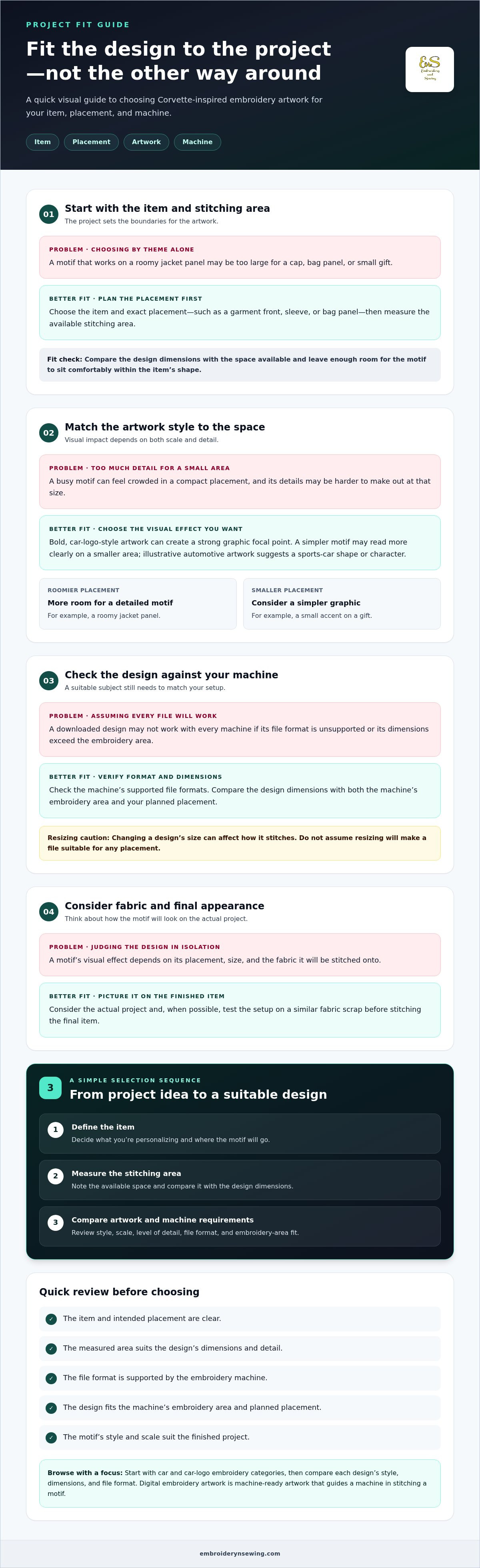
Start with the item, then choose artwork to fit it. A design that suits a roomy jacket panel may be too large for a cap or a small gift, and a file in an unsupported format will not work with your machine as downloaded. Use this sequence to narrow your options:
-
Define the item. Decide what you’re personalizing and where the motif will go, such as a garment front, sleeve, or bag panel.
-
Measure the stitching area. Check the space available at your chosen placement and compare it with the design dimensions. Leave enough room for the motif to sit comfortably within the item’s shape.
-
Compare suitable artwork. Look for a Corvette-inspired motif with a scale and level of detail that suit both the item and the placement.
What should you check before selecting a digital design?
Check the file format against your embroidery machine’s supported formats, then compare the design dimensions with the machine’s embroidery area and your planned placement. Consider how much detail the motif has and whether it will remain easy to make out at that size. A busy design can feel crowded in a small space, while a simpler graphic may read more clearly. Avoid assuming that resizing a file will make it suitable for any placement, since changing a design’s size can affect how it stitches.
Fabric and placement also influence the finished look. Picture the motif on the actual project and, when possible, test the setup on a similar fabric scrap before stitching the final item. For foundational preparation, the beginner’s machine embroidery guide can help you plan the steps before stitching. These checks make it easier to select a corvette embroidery design that fits your project and machine, rather than choosing by theme alone.
Once you know the format and space you need, browse automotive embroidery designs to focus on car-themed artwork. Downloadable machine embroidery designs give you a practical way to move from a clear project plan to preparation without waiting for custom digitizing.
Find automotive embroidery designs and get your Corvette project started
A focused theme makes a broad design catalog easier to browse. Start with automotive artwork, then narrow the options by visual style, dimensions, and the machine requirements you noted. This keeps your search purposeful: you’re looking for a motif that works for your item and placement, not just any car-themed design. A corvette embroidery design can inspire a personal garment, a thoughtful gift, or a craft project.
From automotive theme to a ready-to-stitch project
Before browsing, note three things: the item you’ll personalize, where you want the motif placed, and the file formats and embroidery area your machine supports. Use this short checklist as you compare automotive artwork. It helps you stay focused on designs that fit your project instead of getting sidetracked by unrelated themes.
When you find an option that suits your plan, review its listed details and compare the dimensions and format with your notes. Download the design, then prepare your project and machine using your usual setup process. Digital access makes it possible to move from choosing artwork to preparing your project without waiting for custom digitizing.
Explore embroidery design categories to browse automotive themes alongside a wide range of other embroidery artwork. You can also explore the design marketplace for ideas across personal and small-scale commercial projects. With the item, placement, and machine requirements in mind, it’s easier to find a design that fits your direction and is ready for your workflow.
Turn Your Corvette Idea Into a Personal Project
A thoughtful corvette embroidery design can give a personal project a distinctive automotive touch. Let the item you have in mind guide your choice, and consider how the motif can express your interest in the car theme, whether you’re making something to wear, give, or keep.
Explore car and car-logo embroidery designs alongside other popular themes to find artwork that fits your creative direction. Instant-download digital designs let you move from selecting artwork to preparing a project without waiting for custom digitizing.
Start with the theme that excites you, then compare designs against your project and machine requirements. Browse digital embroidery designs and find inspiration for your next project.
Frequently Asked Questions
Can I use a downloaded embroidery design with any machine?
No. A downloaded corvette embroidery design may not work with every machine. Check your machine’s manual or software for supported file formats before choosing a design. Compare the design’s dimensions with your machine’s embroidery area as well, since a compatible format does not mean the motif will fit. If you use editing software, make sure it can open the file too.
How do I transfer a downloaded embroidery design to my machine?
Transfer methods depend on your machine. Some setups use USB storage, while others send a design through a computer connection or machine-compatible software. After downloading, locate the file and follow your machine’s instructions to move or import it. Confirm that it appears in the machine’s design menu before stitching, and keep the original download as a backup.
Will a Corvette embroidery design work on every type of fabric?
No single design suits every fabric. Material weight, stretch, and texture can affect how the stitched motif looks and holds its shape. A stretchy garment, for example, may need more preparation than a stable woven fabric. Test the design on a similar fabric scrap first, and check that the result looks clear before stitching your final item.
Can I sell items embroidered with a downloaded design?
That depends on the usage terms for the specific design. Review the license or seller-provided terms before selling finished embroidered items, and distinguish that permission from permission to share or resell the digital file itself. If the terms do not clearly cover your intended use, do not assume they do. Choose a design whose stated terms fit your plans.### How do I transfer a downloaded embroidery design to my machine?
Transfer methods depend on your machine. Some setups use USB storage, while others send a design through a computer connection or machine-compatible software. After downloading, locate the file and follow your machine’s instructions to move or import it. Confirm that it appears in the machine’s design menu before stitching, and keep the original download as a backup.
Will a Corvette embroidery design work on every type of fabric?
No single design suits every fabric. Material weight, stretch, and texture can affect how the stitched motif looks and holds its shape. A stretchy garment, for example, may need more preparation than a stable woven fabric. Test the design on a similar fabric scrap first, and check that the result looks clear before stitching your final item.
Can I sell items embroidered with a downloaded design?
That depends on the usage terms for the specific design. Review the license or seller-provided terms before selling finished embroidered items, and distinguish that permission from permission to share or resell the digital file itself. If the terms do not clearly cover your intended use, do not assume they do. Choose a design whose stated terms fit your plans.