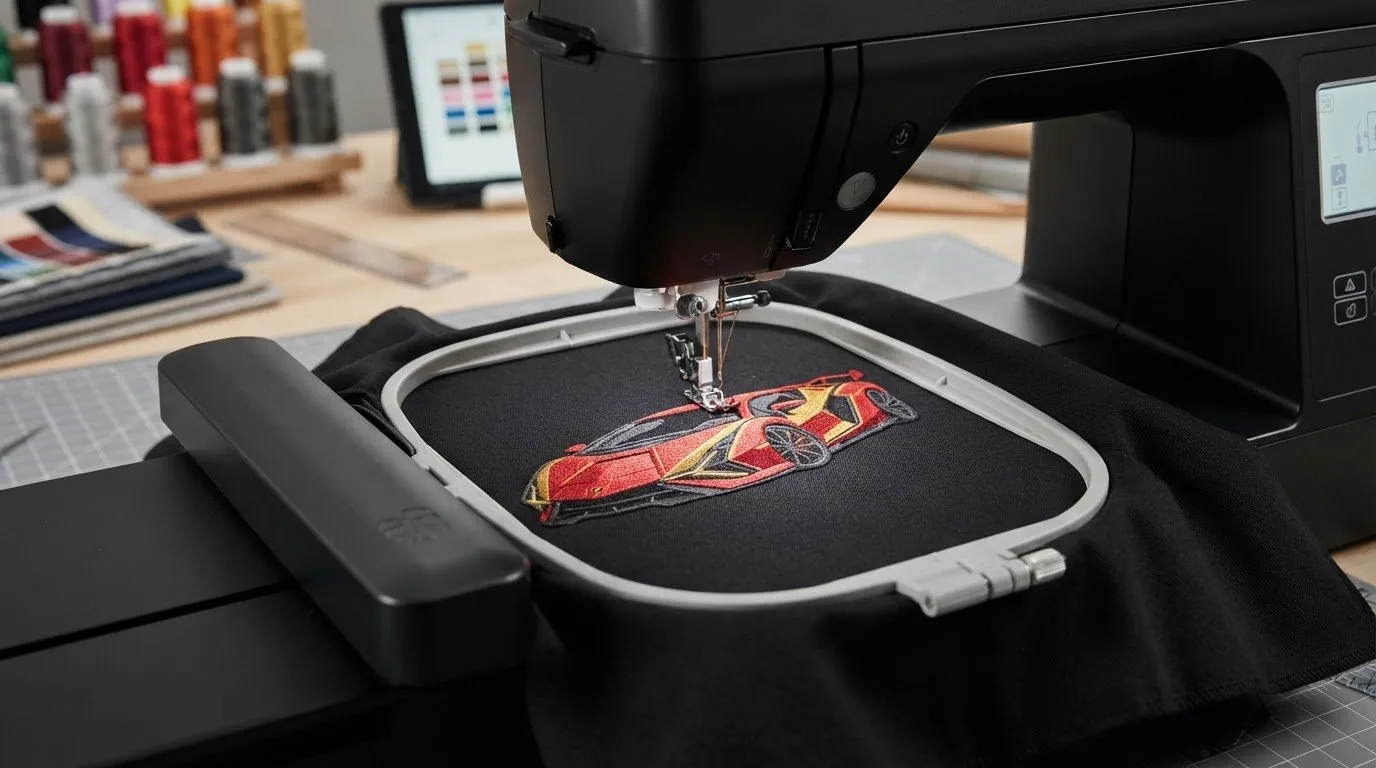
# Lamborghini Embroidery Design: Find the Right Digital File for Your Project
The right lamborghini embroidery design is the one that suits your machine, your material, and the spot where you plan to stitch it. A striking preview can catch your eye, but search results may mix digital machine files with finished shirts, patches, and inspiration images. Knowing what you’re choosing helps you find a design you can actually use.
Before selecting artwork for apparel, a gift, or an accessory, consider the project’s size, placement, and fabric. Then review the design listing for file details and dimensions that fit your machine and available embroidery area. Embroidery n Sewing offers a broad collection of downloadable machine embroidery designs, including automotive and car-logo styles, so you can explore different themes and get started without commissioning custom digitizing. These are digital files for machine embroidery, not finished patches or embroidered items.
Key Takeaways
- Start with the item and placement, then choose a motif whose scale and detail suit the project.
- Explore automotive and car-logo designs to find a lamborghini embroidery design that matches your preferred look.
- Compare the preview, file information, and listed dimensions before downloading.
- Plan your setup around the selected file, your machine, and the material you intend to stitch.
Table of Contents
-
Lamborghini Embroidery Design: Tell Digital Files Apart from Finished Items
-
How to Choose a Lamborghini Embroidery Design for Your Project
-
From Lamborghini Design Download to a Finished Embroidery Project
Lamborghini Embroidery Design: Tell Digital Files Apart from Finished Items
Search results may place an embroidery file beside a shirt, sewn patch, or photo of a completed project. The images can look similar, but the products are different. A digital embroidery design is a machine-readable file that guides an embroidery machine in stitching a motif onto material. When you choose a lamborghini embroidery design as a digital file, you receive artwork to use in your own project, not a completed garment or patch.
What a Lamborghini-themed machine embroidery file is and is not
A downloadable design is a digital pattern intended for machine stitching. It is not a ready-made shirt, an embroidered patch, or simply an inspiration image. A preview helps you assess the artwork, but the image alone does not provide the machine-readable instructions needed to stitch it. The finished look depends on the design, your material, and your machine setup.
-
Digital file: A design to use with a compatible embroidery machine.
-
Finished apparel: A garment that has already been embroidered.
-
Sewn patch: A completed embroidered piece that can be attached to another item.
-
Inspiration image: A visual reference, not necessarily a usable embroidery file.
As you browse automotive and car-logo designs, use the preview to judge the motif and the listing details to understand the digital file. For a broader introduction to downloadable patterns and machine embroidery, explore this digital embroidery design guide. If you’re choosing a recognizable automotive theme, the history of Lamborghini offers context on the brand’s evolution and design identity.
How to Choose a Lamborghini Embroidery Design for Your Project
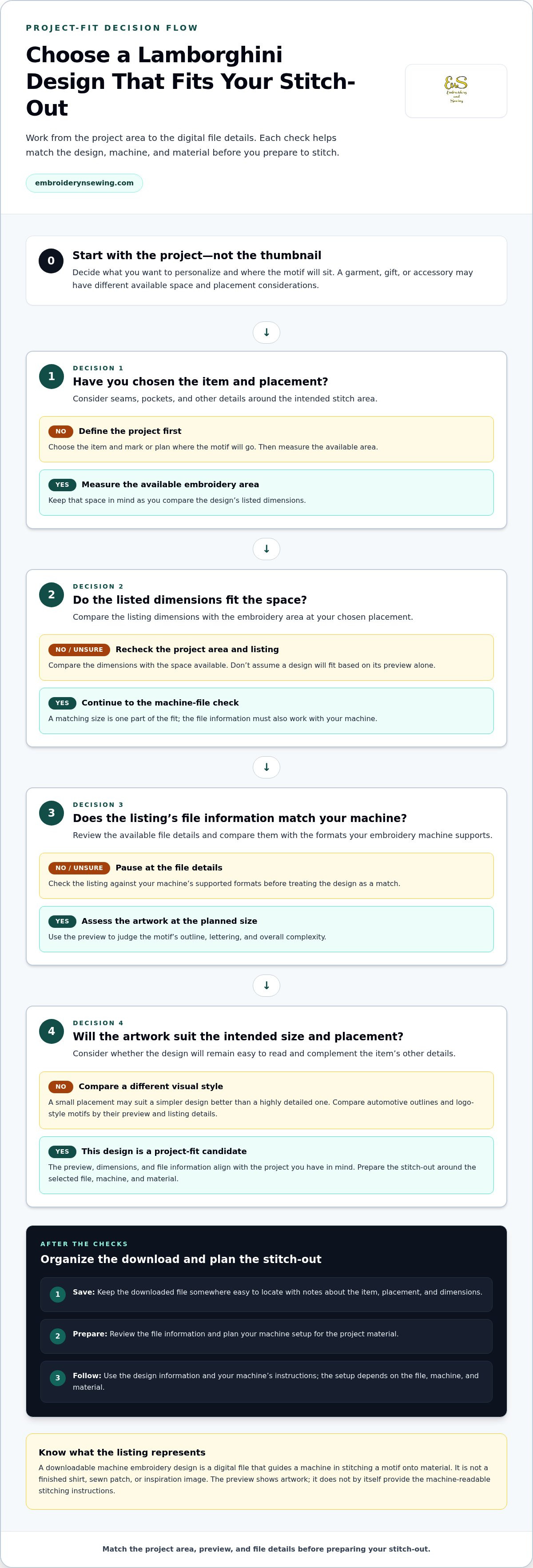
Choose with the stitch-out in mind, not just the thumbnail. Start with the item you want to personalize, then narrow the options by placement, scale, and the visual style you want. This makes it easier to compare automotive and logo-style designs for a garment, accessory, or gift.
-
Define the project. Decide what you’ll personalize and where the motif will sit. Measure the available area, taking seams, pockets, and other details into account. A small placement may suit a simpler design better than a highly detailed one.
-
Inspect the preview. Look at the outline, lettering, and overall complexity. Ask whether the design will remain easy to read at the intended size and whether it will complement the item rather than compete with its other details.
-
Review the listing details. Compare the listed file information with the formats your machine supports. Check the design dimensions against the available embroidery area; don’t assume a file will suit your setup based on its preview alone.
Match the design preview and file details to the intended stitch-out
Use the preview to assess the artwork and its visual balance, then check the listing for practical machine-use details. Confirm that the file information matches your machine and compare any listed dimensions with the space available at your chosen placement. A good match balances the look you want with the limits of your project area.
A lamborghini embroidery design might take the form of a clean automotive outline or a more detailed logo-style motif. For inspiration on the visual cues associated with the marque, Lamborghini’s overview of Lamborghini's design philosophy can help you decide which direction appeals to you. To compare automotive themes with other options, browse embroidery design categories and choose a style that fits your project.
From Lamborghini Design Download to a Finished Embroidery Project
Once you’ve chosen a design that fits your project, organize the file and prepare your stitch-out. Save the download somewhere easy to locate, and keep it with notes about the item, placement, and dimensions you selected. This makes it easier to identify the right design when you’re ready to prepare your machine and materials.
Plan a personalized garment, gift, or accessory
A car-inspired motif can personalize a garment, gift, or accessory. Before stitching, mark or otherwise plan the intended placement, and check how it relates to seams, pockets, and existing graphics. Prepare the item using your usual embroidery process. The setup depends on the file, machine, and material, so follow the design information and your machine’s instructions instead of assuming one method suits every project.
-
Select: Choose a digital design that suits the item, available space, and placement you have in mind.
-
Save: Keep the downloaded file organized with your project notes so it’s easy to find.
-
Prepare: Review the file information, then plan your machine setup and stitch-out for the project materials.
Before you begin, compare the listing details with your machine and planned embroidery area. This practical check helps you move from choosing a lamborghini embroidery design to preparing a considered stitch-out. Embroidery n Sewing’s downloadable catalog brings automotive themes together with designs for personalizing garments, gifts, and accessories, so you can find inspiration and start your next project.
Make Your Next Embroidery Idea Your Own
Give your project a personal point of view. Think about the interest or story you want it to express, then choose a lamborghini embroidery design that feels right for the person who’ll wear or receive it. Coordinating the motif with the item’s style and placement can make the finished piece feel more intentional.
Save ideas that inspire you and build a project around the theme you like best. With automotive, sports, seasonal, cartoon, and other embroidery styles in one digital catalog, it’s easy to explore a new direction for your next make.
Browse digital embroidery designs from Embroidery n Sewing and choose a file for your next project.
Frequently Asked Questions
Is a Lamborghini embroidery design a digital file or a finished patch?
A downloadable design is stitching data, not a separately sewn patch. Once stitched onto an item, the motif becomes part of that material. A patch is a separate embroidered piece that can be attached afterward. This distinction helps you decide whether you want the design integrated into your project or added as a separate decorative element.
How do I know whether an embroidery design will work with my machine?
Use your machine’s manual or model documentation to identify its supported file types, then compare that information with the design’s file details. Keep the original download unchanged, and make a working copy if you want to organize files for a project. Renaming a file extension does not convert a design into a different format.
Can I use a Lamborghini-themed embroidery design on clothing or gifts?
Yes. You can plan a design for apparel or a gift project. Consider how the motif will sit alongside seams, pockets, labels, or printed graphics so it complements rather than competes with them. For a gift, the recipient’s interests can help you choose a theme that makes the personalization feel considered.
What should I check before downloading a car logo embroidery design?
First decide what visual treatment you want: an emblem-style mark, a vehicle outline, or a broader automotive motif. These are different design directions, even when they share a car theme. Check that the preview and listing description match your intended style, then keep the design’s title or identifier with your project notes so you can find the file again.